
Video testimonials from customers
The cheapest conversion lift available to an online product: get real customers on camera saying the specific thing your landing page is trying to prove. Here is the complete playbook - who to ask, the exact message, the questions, the tools, and where the clips actually belong.
- Effort
- Low
- Cost
- $0 - $30/mo
- Time to first result
- 1 week
- Best for
- Landing + pricing
Save this strategy and send it to my inbox
Get the full playbook - scripts, tool stack and checklist - delivered as a single email you can act on today.
No spam. One email, and only what is worth reading.
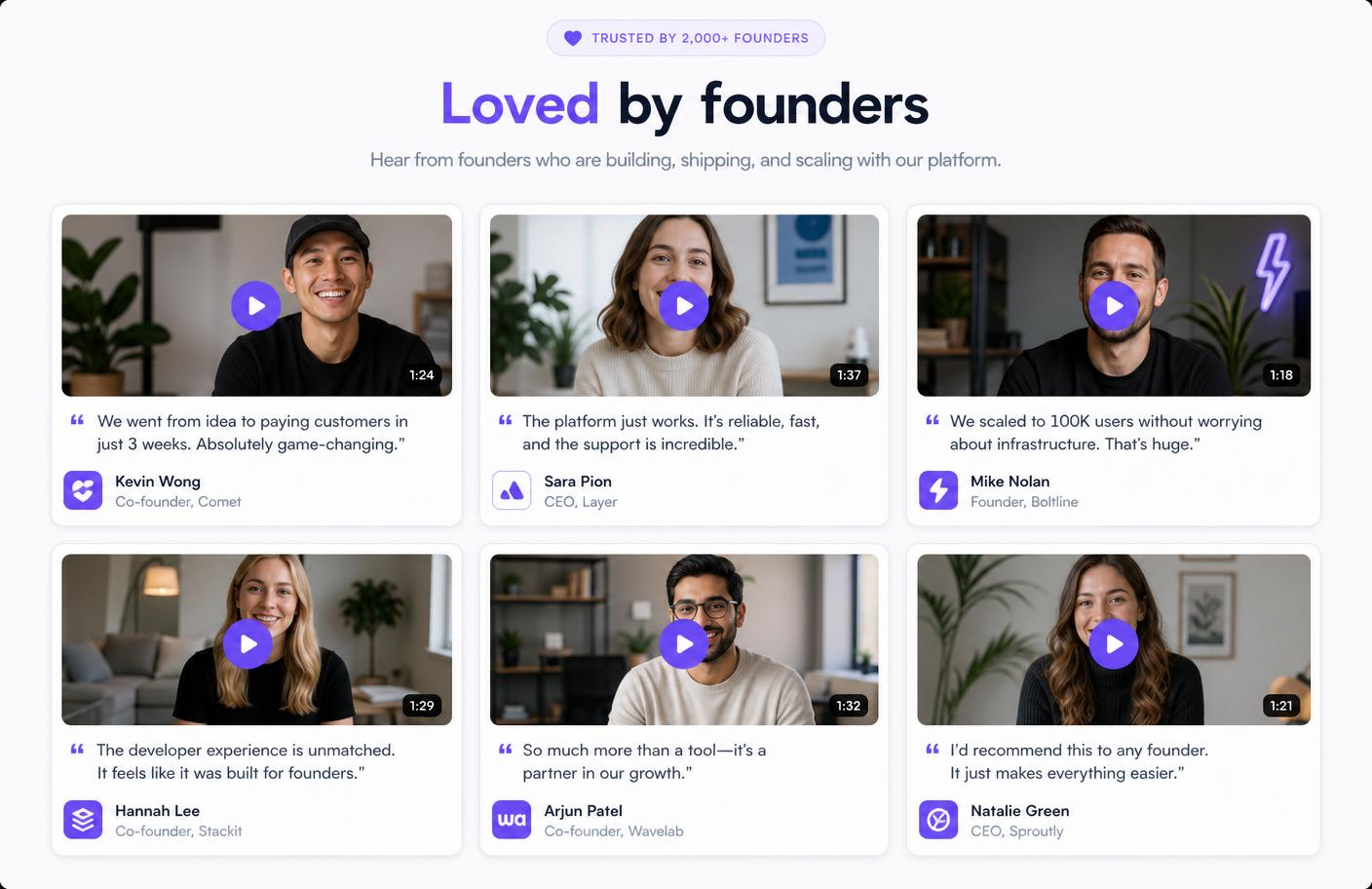
Why this still works when everything else stops
Written testimonials have an authenticity problem: anyone can type "This product changed my business" next to a stock photo, and buyers know it. A face, a voice, a slightly awkward pause and a real company name cannot be faked at scale. That is the entire mechanism - video testimonials do not persuade with better arguments, they persuade by being unfakeable.
The second reason is compounding. A blog post decays, an ad stops the moment you stop paying, but a 60-second clip from a happy customer keeps converting on your pricing page for years, and gets recut into ads, social posts and sales decks. Wyzowl has surveyed marketers and consumers on video every year for over a decade, and testimonial video consistently ranks among the formats buyers say influence purchase decisions most.
Three real examples
Slack let its skeptics do the talking
In 2014 Slack asked the team at Sandwich Video to make an ad. Sandwich said no - they thought products like that never worked. Six months later they were using Slack, and a month after that they filmed 'So Yeah, We Tried Slack...' - a testimonial where the team openly starts as skeptics and admits it won them over. It racked up around 5 million YouTube views and became the video that introduced Slack to the mainstream. The lesson: the objection-first testimonial ('I did not think I needed this') outperforms the glowing one, because it sounds like the viewer's own inner voice.
Source: AdweekDamon Chen built a $1M ARR product on video reviews
After four failed products, Cisco engineer Damon Chen launched Testimonial.to - a tool to collect video testimonials with a single link. It hit $2k MRR in four months, and four years later crossed $1M in annual revenue, fully bootstrapped and solo. His own growth loop was the product itself: every customer's public testimonial wall linked back to him, and he has been vocal that adding video reviews to a landing page is the highest-leverage change most founders can make. The lesson: video proof compounds - each wall you help a customer publish is also a referral surface.
Source: Indie HackersBluLeadz closed 36.9% more deals with video in the funnel
BluLeadz, a Florida inbound marketing agency, was treating video as upload-and-forget on YouTube - no tracking, no placement strategy. They moved to Wistia and deliberately placed customer and explainer video across each stage of the buyer's journey, then used view data to qualify leads. The published result: a 36.9% higher close rate and a measurably faster buyer's journey. The lesson: the lift comes from placement and follow-up, not from the video existing.
Source: Wistia case studyBonus data point outside SaaS: DTC beauty brand Lilac St. reported a +8.24% conversion rate lift after adding shoppable UGC and testimonial video across their store - a reminder that the tactic travels across business models.
The step-by-step playbook
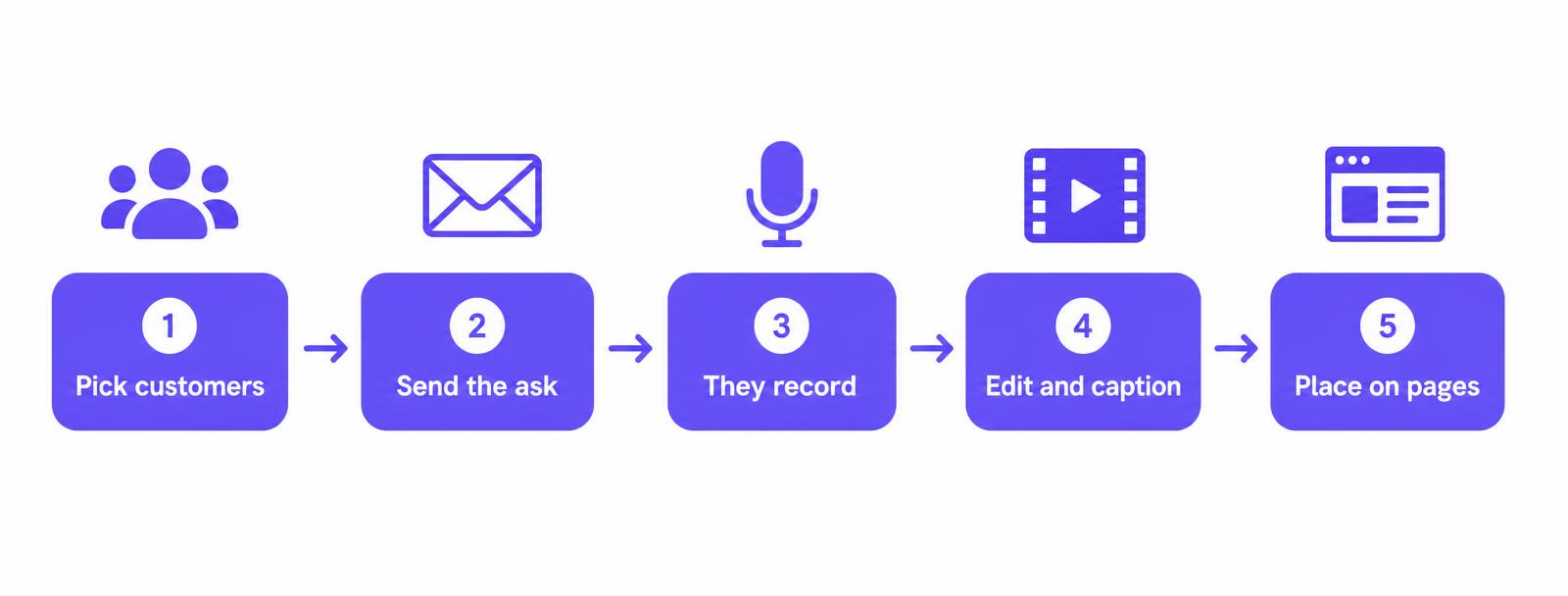
- 1
Pick the right 10 customers (not your biggest ones)
Do not start with your logos. Start with the customers who already told you something nice unprompted - a support reply, a tweet, an NPS comment, a churn survey that says 'I love it but'. Pull every positive message from the last 90 days into a list. Rank by two things: how specific their praise was, and how much your ideal buyer looks like them. Ten warm names beats a hundred cold ones. Realistic conversion on a warm ask is 20-40%; on a cold ask it is under 5%.
- 2
Make the ask absurdly small
The reason people say no is not loyalty, it is effort. So remove every unit of effort: no scheduling, no Zoom, no camera crew, no script to memorise. Ask for 60 to 90 seconds, recorded from their phone or laptop, whenever they want. Send one link that opens a recorder in the browser. Say exactly how long it takes and exactly where it will be used.
- 3
Send the request at the moment of joy
Timing beats copywriting. The best moments: right after a customer hits a milestone in your product, right after a five-star support ticket, right after they renew or upgrade, or right after they publicly praise you. Automate a trigger for at least one of these so requests go out without you remembering.
- 4
Give them the questions, not a script
A script produces a robot. Questions produce a story. Send three to five prompts up front so they can think before recording. The ones that consistently produce usable footage are below - notice they all pull for specifics, numbers and before/after.
- 5
Direct without directing
Add a short 'how to look good' note: film in landscape, sit facing a window, keep the phone at eye level, use headphones if you have them, and just restart the sentence if you fumble - it gets edited. Tell them mistakes are fine. That single line raises completion rates because it removes the fear of 'doing it wrong'.
- 6
Cut for the hook, not for the compliment
Open on the most specific line, never on 'Hi, my name is'. Aim for 45 to 75 seconds for landing pages and 15 to 30 seconds for ads and social. Always burn in captions - most views are muted. Keep the customer's name, role and company on screen for the first three seconds. Keep the raw file: you will recut it into five assets later.
- 7
Place them where doubt happens
A testimonial page nobody visits is worthless. Put clips exactly where hesitation lives: under the hero, next to the pricing table, inside the signup flow, on the checkout page, in the trial-expiry email, and in sales follow-ups. Match the clip to the objection - a security-conscious buyer needs the IT lead's clip, not the founder's.
- 8
Recycle every clip five ways
One recording becomes: a landing page embed, a vertical cut for TikTok/Reels/Shorts, a quote card with a still frame, a paid social ad, and a pull quote in your sales deck. This is what turns a nice-to-have into a channel.
- 9
Measure it like a paid channel
Run it as an A/B test on one page for two weeks minimum: page with video social proof versus without. Track conversion rate, scroll depth, and video play rate. Then keep the winner and move to the next page. If you cannot A/B test yet, at least track play rate - under 10% means your thumbnail or placement is wrong, not the video.
The exact ask (steal this)
Short, personal, zero friction, explicit permission to say no. Swap the placeholders and send it from a personal address, never a noreply.
Subject: 60 seconds on camera?

Hey {first name},

You said something last week that stuck with me: "{their exact words}".

Would you be up for saying that on camera? It takes about 60 seconds, you record it from your phone or laptop whenever suits you, and there is nothing to schedule - just hit this link:

{recording link}

Three questions to think about (no script, no perfection needed - we edit):
1. What was your setup before {product}?
2. What changed, specifically?
3. Who would you recommend it to?

It would go on our homepage and pricing page, and I will link back to {their company}. If it is not a fit, a plain no is completely fine.

Thanks,
{your name}
The five questions that get usable footage
- What were you doing before, and what was annoying about it?
- What almost stopped you from signing up?
- What changed in the first week? Be as specific as you can - hours, money, headcount.
- What is the one thing you would tell someone who is on the fence?
- Who should absolutely not buy this?
Question two ("what almost stopped you") and question five ("who should not buy this") are the two most people cut. Do not - they are what make the rest believable.

Recommended tools
You need three things: a way to collect, a way to edit, a way to host and measure. Pick one from each - do not buy all eight.
Testimonial.to
Free plan, paid from ~$25/moThe default. One link, customer records in the browser, you get a hosted wall of love you can embed in a single line. Best all-round starting point.
Senja
Free plan, paid from ~$29/moTestimonial.to's closest rival, strong on automatic quote cards, vertical video cuts and social-ready assets from one recording.
VideoAsk (Typeform)
Free plan, paid from ~$30/moConversational: you ask questions on video, they answer on video. Highest response rates for warm customers, and great for async interviews.
Vocal Video
Free plan, paid tiersAuto-edits, adds captions, lower thirds and branding without you touching an editor. Good if nobody on the team edits video.
Loom
Free planZero-friction fallback when a customer refuses a 'testimonial' but will happily record a screen walkthrough of how they use your product.
Descript
From ~$19/moEdit video by editing text, remove ums automatically, generate captions. The fastest way to turn a rambling 4-minute clip into 60 clean seconds.
Opus Clip / Vizard
Free plan, paid from ~$19/moAI reframes one long clip into multiple vertical shorts with captions - your five-assets-from-one-recording step, automated.
Wistia
Free plan, paid from ~$24/moHost the finished clips with play-rate and engagement analytics so you can prove the placement is working, plus fast embeds that do not tank page speed.
Prices are indicative and change - check the vendor before buying.
Do it faster with AI Prompts
Find your best candidates
Here are 200 support messages, NPS comments and reviews from the last 90 days. Identify the 10 customers most likely to say yes to a 60-second video testimonial. For each, quote the exact sentence that shows enthusiasm, and note which objection their story would answer for a prospect.
Personalise every ask
Using this outreach template and this list of 10 customers with their quotes, write 10 personalised versions. Keep each under 120 words, open with their own words, and keep the tone of a founder emailing a person - not a marketing team emailing a segment.
Turn a rambling transcript into a cut list
Here is a 6-minute testimonial transcript with timestamps. Give me: (1) the single strongest 8-second opening line, (2) a 60-second cut for a landing page as an ordered list of timestamp ranges, (3) three 20-second vertical cuts for social, each with a hook, and (4) three pull quotes under 12 words.
Match clips to objections
These are the 8 testimonial clips we have, with a summary of each. These are the top 5 objections from our sales calls. Map each objection to the clip that answers it best and tell me the exact page and position where that clip should be placed.
Mistakes that kill this play
- Asking for 'a testimonial' instead of 'about 60 seconds answering three questions'.
- Booking a call. Every scheduling step cuts your yes-rate roughly in half.
- Publishing praise with no specifics - 'great product, great team' converts nobody.
- Burying everything on a /testimonials page instead of next to the buy button.
- No captions. Most people watch muted, so an uncaptioned clip is a silent clip.
- Clips over two minutes. Completion collapses after about 90 seconds.
- Using the customer's footage without written permission. Always get a one-line yes in writing.
Your first 7 days
- Day 1: pull every positive message from the last 90 days, pick 10 names.
- Day 2: set up a free collection link and write the five questions into it.
- Day 3: send 10 personalised asks, one by one, from your own inbox.
- Day 5: one polite nudge to anyone who did not reply. This alone doubles your yield.
- Day 6: edit the first two clips to 60 seconds with burned-in captions.
- Day 7: ship them under the hero and beside the pricing table, and start the A/B test.
Save this strategy and send it to my inbox
Get the full playbook - scripts, tool stack and checklist - delivered as a single email you can act on today.
No spam. One email, and only what is worth reading.
More Level 1 hacks
Upgrade button
Highlight the ‘upgrade’ button in your product.
Submit URL to directories for free traffic
Add your URL to directories.
Survey customers
Simply ask your customers.
Testimonials
Use testimonials on your website.
Testimonials on pricing page
Underrated way to remove doubts.
Set alerts
Know when customers are stuck.